

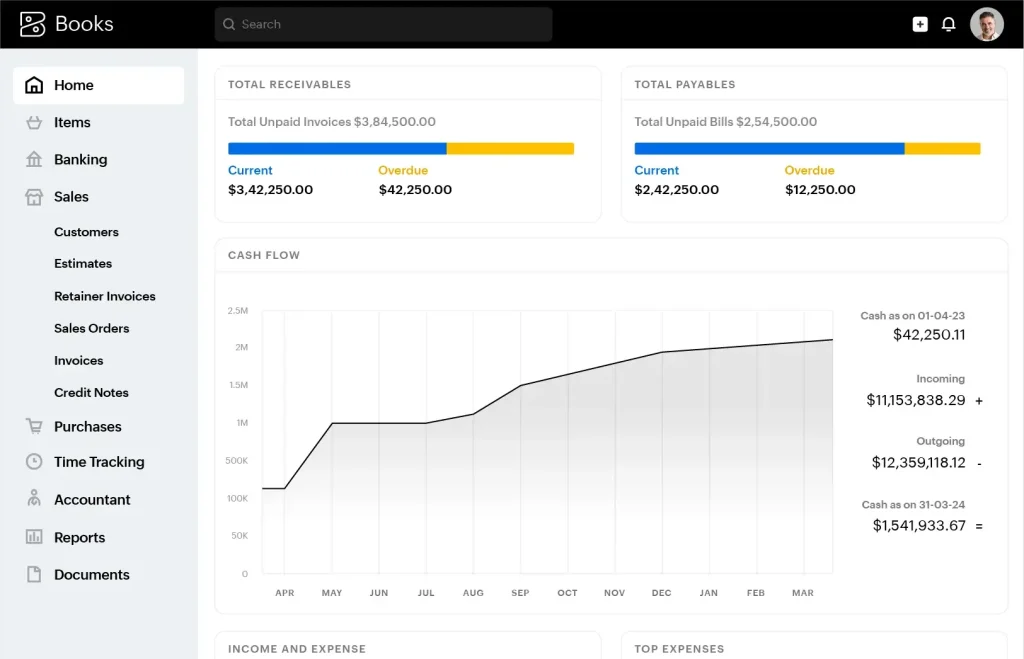
Zoho Books is a popular accounting software for small businesses. It helps manage finances efficiently.
Understanding the cost of Zoho Books is crucial for budgeting. Whether you are a small business owner or a freelancer, knowing the price can help you make an informed decision. This blog post will explore the various pricing plans of Zoho Books.
We will also discuss what each plan offers. By the end, you will have a clear idea of how much Zoho Books costs and which plan suits your needs best. Let’s dive in and see how Zoho Books can fit into your budget.
Credit: thecfoclub.com
Introduction To Zoho Books
Managing finances can be a daunting task for any business, big or small. That’s where Zoho Books comes into play. Zoho Books is an online accounting software that simplifies your financial operations. With its user-friendly interface and powerful features, it helps you keep track of your income, expenses, and overall financial health. Whether you are a startup or an established enterprise, Zoho Books is designed to meet your accounting needs efficiently.
Overview Of Zoho Books
Zoho Books is more than just an accounting tool; it’s a comprehensive solution for managing your finances. Some key features include:
- Automated Workflows: Save time by automating repetitive tasks.
- Real-time Collaboration: Work with your team in real-time, no matter where they are.
- Customizable Reports: Generate detailed financial reports that can be customized to meet your needs.
- Inventory Management: Keep track of your stock levels and manage your inventory effectively.
- Multi-currency Support: Handle transactions in multiple currencies seamlessly.
Beyond these features, Zoho Books integrates with other Zoho apps and third-party applications, making it a versatile choice for businesses looking to streamline their operations.
Importance For Businesses
Why should businesses consider using Zoho Books? Let’s dive into some reasons:
- Cost Efficiency: Zoho Books offers various pricing plans that cater to different business sizes and budgets. This flexibility ensures that you are not paying for features you don’t need.
- Ease of Use: The intuitive interface means that even those with minimal accounting knowledge can navigate the software with ease.
- Enhanced Productivity: By automating tasks such as invoicing and expense tracking, businesses can focus more on their core operations rather than getting bogged down by administrative work.
- Compliance and Security: Zoho Books adheres to international accounting standards and offers robust security measures, ensuring your data is safe and compliant.
Imagine having all your financial data at your fingertips, updated in real-time, and accessible from anywhere. That’s the kind of convenience and peace of mind Zoho Books provides. It’s like having a dedicated accountant but without the hefty payroll.
In conclusion, Zoho Books is an essential tool for businesses looking to streamline their accounting processes and save time. With its affordable pricing plans, ease of use, and powerful features, it’s no wonder many businesses are making the switch.
Free Plan Features
When you’re running a small business, every penny counts. Finding cost-effective solutions that offer robust features without breaking the bank can be a game-changer. Zoho Books, a popular accounting software, offers a Free Plan that might just fit the bill. But what exactly do you get with this plan? Let’s dive into the Free Plan Features to see if it meets your needs.
Basic Features
The Free Plan of Zoho Books offers a variety of features that can help you manage your business finances efficiently. Here’s what you can expect:
- Invoicing: You can create and send up to 1,000 invoices annually. This is perfect for small businesses just starting out.
- Expense Tracking: Keep tabs on your spending by recording your expenses. This feature helps you understand where your money goes.
- Bank Reconciliation: Automate the process of matching your bank transactions with your accounting records, saving you time and reducing errors.
- Sales Orders: Easily create and manage sales orders to streamline your sales process.
- Reports: Generate basic financial reports to get an overview of your business’s financial health.
Limitations
While the Free Plan has some great features, there are limitations to consider:
- Limited Users: The free plan allows only one user, which could be a drawback if you have a team.
- Customer Support: Access to customer support is limited. You’ll primarily rely on email support, which may not be as quick as phone support.
- Storage: The plan comes with limited storage for documents and receipts. You’ll need to manage your files efficiently or consider upgrading.
- Advanced Features: More sophisticated features like inventory management and project tracking are not included in the Free Plan.
In conclusion, the Free Plan of Zoho Books offers a substantial set of features that can be beneficial for small businesses and startups. However, as your business grows, you might find yourself needing to upgrade to a paid plan to access more advanced features and additional user support. But for those just starting out, this free plan can be a fantastic resource to get your finances in order without spending a dime.
Standard Plan
The Zoho Books Standard Plan offers a great balance of features and affordability. It is ideal for growing businesses that need more than the basics. Let’s explore the details.
Cost Breakdown
The Standard Plan costs $20 per month when billed annually. If you choose to pay monthly, the cost is $24 per month. This plan is affordable for small businesses looking to manage their finances efficiently.
Included Features
The Standard Plan includes many useful features. You can manage up to 3 users with this plan. It offers invoice management, expense tracking, and bank reconciliation. You also get project management and timesheet tracking.
With the Standard Plan, you can automate workflows and manage sales orders. It also supports multi-currency transactions. These features help businesses streamline their operations and save time.
Professional Plan
When considering accounting software, Zoho Books is a popular choice for many businesses. One of their standout options is the Professional Plan. This plan is designed to cater to businesses that require more advanced features than the basic offerings. But how much does it really cost? Let’s dive into the details.
Pricing Details
Understanding the cost is crucial for any business decision. The Professional Plan of Zoho Books is competitively priced, ensuring you get excellent value for your money.
| Plan | Monthly Cost | Annual Cost |
|---|---|---|
| Professional | $40 | $360 |
Opting for the annual subscription can save you a substantial amount compared to the monthly payments. Who doesn’t like saving a few bucks?
Advanced Features
The Professional Plan offers a plethora of advanced features. These features are designed to help you manage your business more efficiently and effectively.
- Multi-currency Handling
- Project Management
- Purchase Orders
- Sales Orders
- Vendor Portal
These features are essential for businesses that operate on a larger scale or have more complex accounting needs. For instance, multi-currency handling is a lifesaver for businesses dealing with international clients. Trust me, managing multiple currencies manually is a headache you don’t want.
Another notable feature is Project Management. This allows you to track the time and expenses associated with each project, ensuring you stay within budget and meet your deadlines. Who doesn’t love a well-organized project?
In conclusion, the Professional Plan of Zoho Books is a robust option for businesses looking for advanced features at a reasonable price. Whether you’re handling multi-currency transactions or managing several projects, this plan has got you covered. So, is it time to upgrade your accounting game?
Premium Plan
The Zoho Books Premium Plan offers a comprehensive solution for growing businesses. It provides advanced features to streamline accounting processes. This plan is designed for businesses needing more than basic accounting tools.
Cost Analysis
The Premium Plan costs $40 per organization per month when billed annually. Monthly billing is available for $50 per month. This price includes advanced features and support. The plan supports up to 10 users, making it suitable for small to medium-sized teams.
Exclusive Features
The Premium Plan offers several exclusive features. You get automated workflows, which save time on repetitive tasks. The plan includes advanced reporting, providing deeper insights into financial data. Users can also access vendor portals to streamline supplier interactions. Another feature is custom domain usage, giving a professional touch to invoices and emails.
Additionally, the Premium Plan includes multi-currency handling. This is crucial for businesses dealing with international clients. Furthermore, it offers project management tools. These tools help in tracking project costs and profitability. The plan also supports client approval of estimates online. This feature speeds up the approval process, reducing delays.
Finally, users get access to Zoho’s dedicated phone support. This ensures quick resolution of any issues. The Premium Plan is ideal for businesses looking to scale their operations efficiently.
Elite Plan
The Elite Plan of Zoho Books is designed for growing businesses. It offers advanced features to handle complex accounting tasks. This plan helps you manage your finances efficiently.
Pricing Structure
The Elite Plan costs $129 per month. You can also choose the annual plan for $1,290. This gives you two months free. The plan supports up to 10 users. Additional users cost $3 per user each month.
Top Features
The Elite Plan includes multi-currency support. This is vital for businesses dealing with global clients. You also get project management features. Track time and expenses for each project. You can create invoices directly from projects.
Inventory management is another key feature. Manage stock levels, track orders, and generate reports easily. Automated workflows help streamline your business processes. Set triggers for specific actions. This reduces manual work and errors.
Advanced analytics offer deep insights into your business. Generate custom reports to understand your financial health. You can also integrate with other Zoho apps. This ensures seamless data flow across your business operations.
Ultimate Plan
The Ultimate Plan for Zoho Books is designed for large businesses. It offers advanced features and extensive support. This plan is perfect for companies needing comprehensive accounting solutions. Let’s dive into the details of its cost and features.
Detailed Cost
The Ultimate Plan costs $240 per organization per month. This price includes access to all features. You also get priority support and dedicated account managers. The plan offers a 14-day free trial. No credit card is required for the trial. This allows you to test the features before committing. Monthly and yearly billing options are available. The yearly option provides a discount, making it more economical.
Comprehensive Features
The Ultimate Plan includes everything from lower-tier plans. It also offers advanced inventory management. You get features like barcode scanning and batch tracking. Multi-currency support is available. This helps in dealing with international clients. The plan includes custom workflows. You can automate repetitive tasks easily.
Additionally, it offers advanced analytics and reporting. These tools help in making informed business decisions. The Ultimate Plan integrates with over 40 third-party applications. This includes popular tools like PayPal and Stripe. You also get access to an extensive API. This allows for custom integrations tailored to your business needs.
The plan provides advanced user roles. You can assign different permissions to different users. This ensures data security and proper access control. The Ultimate Plan also comes with a client portal. This allows your clients to view invoices and make payments online. They can also track the status of their orders.
With the Ultimate Plan, you get enhanced customer support. This includes phone, email, and chat support. You also get access to a dedicated account manager. They assist you with any issues or queries. Priority support ensures that your problems are resolved quickly.
Credit: www.zoho.com
Add-on Costs
Understanding the cost of Zoho Books involves more than just the base price. There are add-on costs that you need to consider. These costs can vary depending on the features you want. Let’s break down the add-on costs into specific sections.
Additional Modules
Zoho Books offers various additional modules. These modules can enhance your accounting experience. Some examples include advanced inventory and project management. Each module comes with its own price. You can choose the modules that fit your business needs.
Integration Fees
Integrating Zoho Books with other software can be essential. It helps streamline your business processes. Integration fees can apply if you want to connect with third-party apps. These fees depend on the specific app and the level of integration required.
Comparing Plans
Zoho Books offers various pricing plans to suit different business needs. Choosing the right plan ensures you get the features you need without overspending. Let’s break down the plans and see what each one offers.
Feature Comparison
The Free Plan is best for very small businesses. It allows up to three users and includes essential features. You can manage invoices, expenses, and basic reports.
The Standard Plan supports up to three users. It adds features like recurring invoices and bill tracking. You can also manage projects and timesheets.
The Professional Plan is more robust. It supports up to five users and includes advanced inventory management. You get multi-currency handling and purchase orders.
The Premium Plan supports up to ten users. It offers advanced budgeting and custom domain services. You also get vendor credits and sales orders.
The Elite Plan is for large businesses. It supports up to fifteen users. This plan includes advanced analytics and custom reports. You get everything from the other plans and more.
Value For Money
The Free Plan is cost-effective for startups. It provides basic tools for financial management. If you need more features, the Standard Plan is a good next step.
The Professional Plan offers good value. It includes essential features for growing businesses. You get more user support and advanced inventory options.
The Premium Plan is worth it for larger teams. It offers comprehensive tools and supports more users. Advanced features can streamline business operations.
The Elite Plan is the best option for large enterprises. It provides all the features you need for extensive financial management. The plan supports more users and offers detailed analytics.
Choosing the right plan depends on your business needs. Evaluate features and user support to make the best decision.

Credit: me.pcmag.com
Frequently Asked Questions
What Do Zoho Books Cost?
Zoho Books offers three pricing plans: Basic at $15/month, Standard at $40/month, and Professional at $60/month.
How Much Does Zoho Cost Per Month?
Zoho pricing starts at $12 per user per month for the Standard plan. Higher tiers offer more features at increased costs.
Is Zoho Books Really Free?
Zoho Books offers a free plan for businesses with annual revenue under $50,000. Paid plans provide more features.
Is Zoho Books Better Than Quickbooks?
Zoho Books offers better customization and affordability. QuickBooks is more popular and has extensive third-party integrations. Choose based on your business needs.
How Much Does Zoho Books Cost?
Zoho Books costs $20 per month for the Basic plan.
Conclusion
Zoho Books offers various pricing plans to suit different business needs. Each plan provides essential features for managing finances efficiently. Compare the options to find the best fit for your budget. Start with a free trial to explore its capabilities.
Remember, investing in good accounting software can save time and reduce stress. Make an informed choice and streamline your business operations with Zoho Books. Happy accounting!




