

Pdf Expert: The Ultimate Guide For Modern Pdf Management
Working with PDF files can be a challenge. Many people need to edit, sign, or organize PDFs every day, but most free tools are limited. If you use a Mac, Pdf Expert stands out as one of the best solutions available. This article explains what Pdf Expert offers, why it is popular, and how it compares with other PDF tools. You’ll also find practical tips and answers to common questions. Whether you’re a student, a professional, or someone who handles documents often, Pdf Expert can make your workflow smoother and save you valuable time.
What Is Pdf Expert?
Pdf Expert is a powerful PDF editor for macOS and iOS. Developed by Readdle, it lets users read, edit, annotate, and manage PDF files easily. The software is known for its simple design and fast performance. Millions of people use Pdf Expert, from students to business professionals.
Unlike many PDF apps, Pdf Expert focuses on ease of use. Even if you are new to PDF editing, you will find the interface clear and welcoming. Tasks like editing or signing documents can be done in just a few clicks, making it accessible for people who don’t have much technical experience.
Key Features Of Pdf Expert
Pdf Expert has many useful features. Here are some of the most important:
1. Editing Pdfs
You can change text, images, and links directly in the PDF. Editing is fast and simple—no need to convert files. For example, if you notice a typo in a contract or need to update a company logo, you can fix it right in the document.
The editing tools feel similar to those in word processors, so you don’t have to learn new skills.
2. Annotating Documents
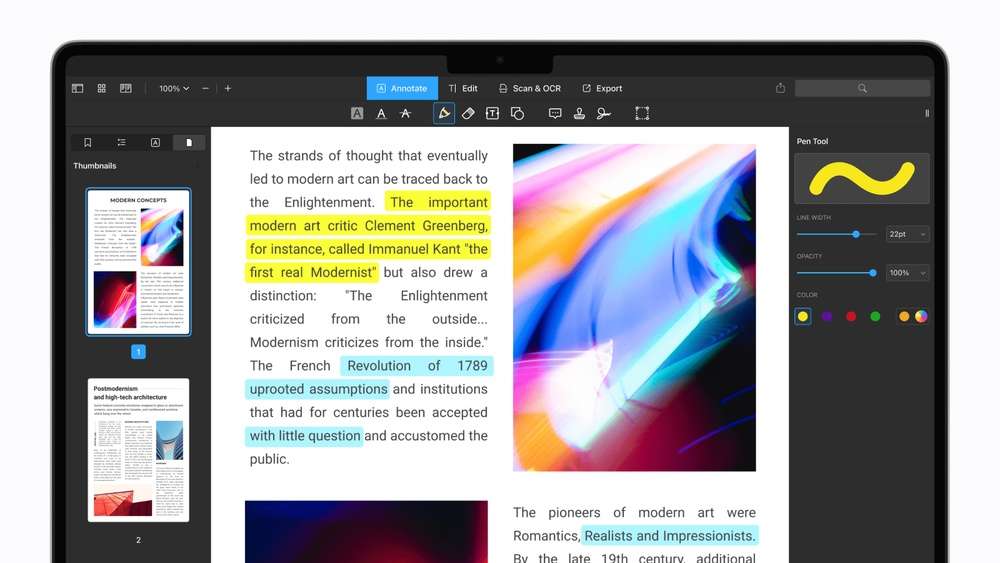
Pdf Expert offers tools like highlights, notes, shapes, and stamps. These help you mark important parts or share feedback. If you’re reviewing a research paper or grading homework, you can add detailed comments and highlight key sections. The annotation features are flexible and color-coded, making your notes easy to spot later.
3. Merging And Splitting Files
Combine multiple PDFs or split one file into several. This is useful for organizing documents or sending only the needed pages. For example, you can merge monthly reports into a single yearly file, or extract just one chapter from a textbook to share with classmates.
4. Signing Documents
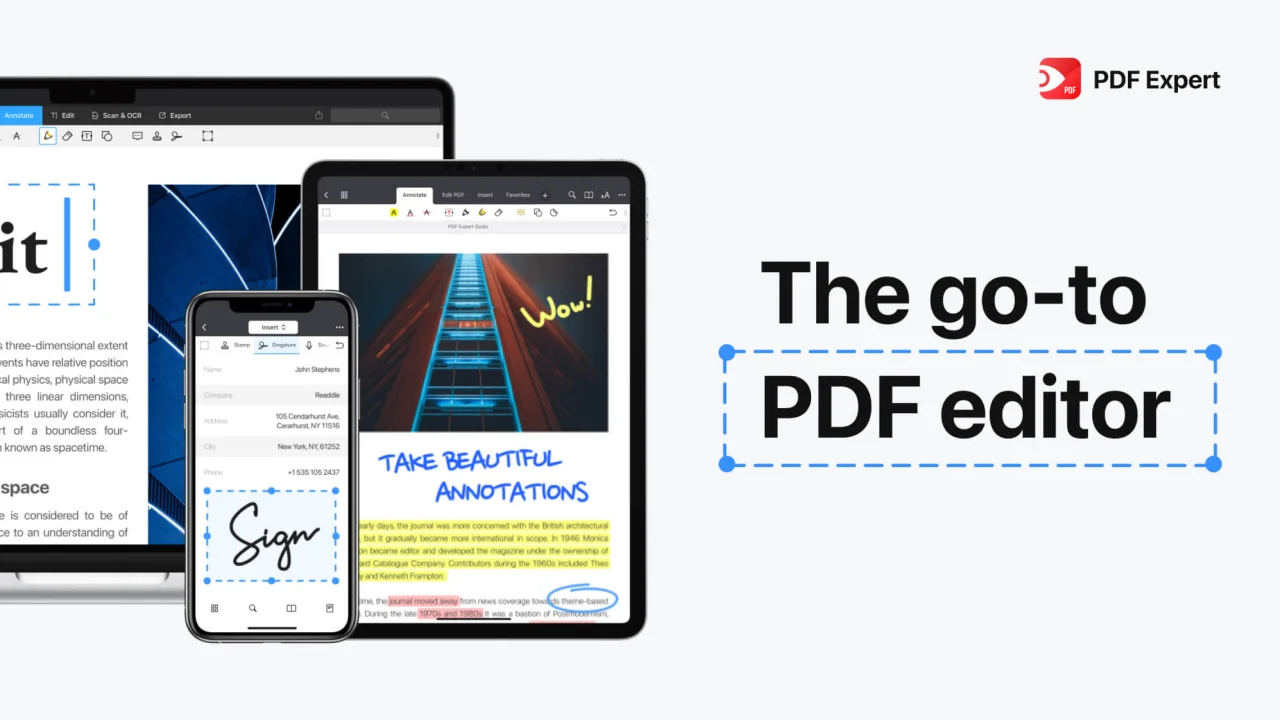
Add digital or handwritten signatures. Pdf Expert remembers your signature for faster signing in the future. If you often sign rental agreements or business contracts, you can insert your signature in seconds. Multiple signatures can be stored, so you can choose the right one for different documents.
5. Filling Forms
Fill out interactive forms, including checkboxes and text fields. You can even save filled forms for later use. For example, if you need to fill out travel expense forms every month, Pdf Expert lets you reuse your saved answers.
6. Password Protection
Secure your PDFs with passwords. Only people with the password can open or edit the document. This is useful when sending sensitive files, such as tax returns or private contracts, by email.
7. Syncing Across Devices
If you use Pdf Expert on iPhone or iPad, your files and edits sync automatically through iCloud. This means you can start editing a document on your Mac and finish it on your iPad during your commute. The syncing is quick and reliable, so you don’t have to worry about losing progress.
Credit: pdfexpert.com
Pdf Expert Vs Other Pdf Tools
Many PDF editors are available for Mac, including Adobe Acrobat, Preview (built-in), and Foxit PDF. Here’s a quick comparison:
| Feature | Pdf Expert | Adobe Acrobat | Preview |
|---|---|---|---|
| Edit Text & Images | Yes | Yes | Limited |
| Sign PDFs | Yes | Yes | Yes |
| Merge/Split | Yes | Yes | Limited |
| Price | One-time purchase | Monthly subscription | Free |
Pdf Expert is especially popular for its one-time payment model. Unlike Adobe Acrobat, which requires a monthly fee, Pdf Expert lets you pay once and use it forever. This is a big advantage for people who don’t want to pay recurring fees or manage complicated subscriptions. Another unique benefit is that Pdf Expert’s interface is much simpler than Acrobat’s, which can feel overwhelming with too many options.
Real-life Uses And Practical Tips
People use Pdf Expert for many tasks:
- Students use it to highlight and annotate textbooks.
- Business professionals sign contracts or fill forms.
- Teachers review assignments and add comments.
Here are two practical tips many beginners miss:
- You can customize the toolbar for faster access to the tools you use most. This saves time when editing or annotating. If you often add highlights or text notes, move those tools to the front of the toolbar. Customizing the layout means fewer clicks and less searching.
- Pdf Expert allows you to extract pages from a PDF and save them as a new file. This is handy if you only need to share part of a document. For example, sending just one chapter from a long ebook to a friend without sharing the whole file.
Another useful trick: Pdf Expert can automatically detect form fields in many documents, even if they are not interactive. You can add text fields to scanned forms and fill them out digitally, saving you from printing and handwriting.

Credit: pdfexpert.com
Performance And User Experience
Pdf Expert is known for its fast loading times, even with large files. The interface is clean, so you won’t get lost in menus. Many users report that Pdf Expert feels lighter and quicker than Adobe Acrobat.
Here’s a simple performance comparison:
| App | Startup Time | File Loading Speed | User Interface |
|---|---|---|---|
| Pdf Expert | 2 seconds | Fast | Simple |
| Adobe Acrobat | 5 seconds | Medium | Complex |
| Preview | 1 second | Fast | Basic |
Another detail: Pdf Expert uses less memory than most competitors. This means it runs smoothly on older Macs or when you have many programs open. If you often work with PDFs over 100 MB, Pdf Expert handles them without freezing or crashing, making it reliable for heavy users.
Pricing And Value
Pdf Expert costs $79. 99 for a one-time license. This is much cheaper than Adobe Acrobat, which costs around $15 per month. Over three years, Pdf Expert is less than one-third the price of Acrobat.
| Product | Price (Year 1) | Price (Year 3) |
|---|---|---|
| Pdf Expert | $79.99 | $79.99 |
| Adobe Acrobat | $179.88 | $539.64 |
This clear pricing makes Pdf Expert attractive for individuals and small businesses. You also get free updates for minor releases, so your software stays current without extra fees. For people who manage documents daily, this predictable cost is a major advantage.

Credit: commons.wikimedia.org
Security And Privacy
Pdf Expert lets you add password protection to PDFs. You can also redact sensitive information before sharing. Readdle, the developer, follows strict privacy standards. There are no ads or hidden data collection. It’s important for professionals working with legal or medical documents, as keeping information secure is a must.
For more on PDF security, see Adobe Security.
Frequently Asked Questions
Is Pdf Expert Available For Windows?
No, Pdf Expert is only for macOS and iOS. Windows users need alternatives like Adobe Acrobat or Foxit PDF. If you switch between platforms often, you may want to consider a tool that works on both systems.
Can Pdf Expert Handle Scanned Documents?
Yes, Pdf Expert works with scanned PDFs. However, it does not offer built-in OCR (Optical Character Recognition). You need to use another app for text recognition. After using OCR software, you can import the recognized PDF back into Pdf Expert for editing or annotation.
Is There A Free Version Of Pdf Expert?
Pdf Expert offers a free trial with limited features. The full version requires a paid license. The trial is a good way to test the interface and basic tools before buying.
How Does Pdf Expert Compare With Preview?
Pdf Expert has more editing tools and features than Preview. Preview is good for basic tasks, but Pdf Expert is better for professional use. If you often need to edit text, organize pages, or sign documents, Pdf Expert will save you time and frustration.
Can I Use Pdf Expert On Multiple Devices?
Yes, you can use Pdf Expert on Mac, iPhone, and iPad. Your files sync across devices if you use iCloud. This is perfect for people who work on documents at home, in the office, and on the go.
Pdf Expert makes working with PDFs easier and faster. Its strong editing tools, simple interface, and fair pricing help it stand out. For anyone who needs to manage PDF files on Mac or iOS, Pdf Expert is a top choice.
With reliable performance, advanced features, and trusted privacy, it’s a tool that can truly streamline your document workflow.




