

Miro’s ultimate design tool lets you plan, create, and collaborate with ease. Discover features that boost creativity and teamwork. Try it today!
Design ideation is how we come up with new ideas. It helps us solve problems and build better products. I’ve used many tools for this, but Miro stands out. It’s an online whiteboard where teams can work together—even if we’re all in different places. I’ve seen it in action during a remote product sprint, and the real-time sharing was a game-changer.
In this post, I’ll walk you through how Miro supports design ideation. I’ll show you its features, templates, and how we use it to brainstorm and plan.
What Is Miro?
Miro is a digital whiteboard platform that helps teams work together visually. You can add sticky notes, images, drawings, and more. I’ve used it for planning UX flows and product roadmaps—it’s perfect for that.
Here’s what Miro supports:
- Brainstorming sessions
- Design thinking workshops
- Agile planning
- Mind mapping
- User journey mapping
It helps us gather ideas, organize them, and make better team decisions.
How Miro Supports Design Ideation
1. Visual Collaboration
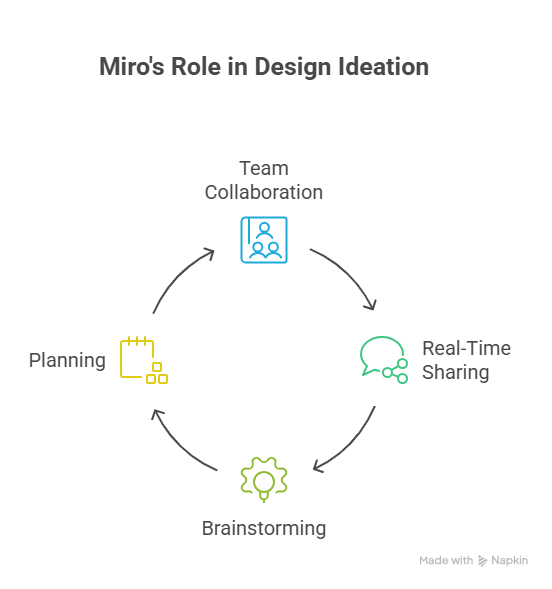
Miro gives us a huge canvas where everyone can drop in elements and move them around. It’s easier to see how everything connects when it’s all laid out. I once mapped an entire onboarding flow on Miro—it made explaining it to stakeholders much easier.
2. Real-Time Collaboration
Everyone can jump into the same board at once. We see changes live, which is amazing when you’re working with remote teammates. During one late-night sprint, my team in Dubai and the devs in Berlin all worked together seamlessly.
3. Templates for Ideation
Miro offers ready-made templates to help us get started fast:
- Brainstorming Templates – great for idea dumps and grouping thoughts
- Mind Maps – help us connect dots between concepts
- User Journey Maps – spot pain points in real experiences
- SWOT Analysis – quickly map strengths, weaknesses, and more
These templates keep us focused and save hours of setup time.
4. Integration with Other Tools
Miro connects with Slack, Google Drive, Jira, and many others. This makes it easy to keep everything in one place. When we synced Jira tasks with our whiteboard, our planning got 10× smoother.
Benefits of Using Miro for Design Ideation
1. Encourages Creativity
The blank canvas and toolset let us be creative—sketching, dragging, typing, whatever helps us think. I’ve seen shy teammates light up while adding sticky notes and doodles.
2. Enhances Communication
Visuals speak louder than words. On Miro, we comment, tag, and react—all in one place. That clears up confusion faster.
3. Saves Time
With templates and live editing, we move from ideas to decisions quickly. We once wrapped a full brainstorming and planning session in under two hours.
4. Supports Remote Work
Whether you’re in an office or on your sofa, Miro works. All you need is the internet. That’s why it’s become my go-to tool for remote projects.
Common Use Cases
1. Brainstorming Sessions
We throw all our ideas on the board, then vote and shortlist the best. Miro’s voting tool is super handy.
2. Design Thinking Workshops
Miro fits every design thinking step—empathize, define, ideate, prototype, test. I’ve used it to document entire journeys with clients.
3. Product Planning
We use Miro to map features, write user stories, and create timelines. It helps everyone stay aligned.
4. Retrospectives
After a sprint, we use Miro to look back—what went well, what didn’t. It’s honest, visual, and constructive.
Conclusion
Miro isn’t just a whiteboard—it’s a complete idea hub. It helps teams generate, sort, and build ideas visually. Whether you’re in one room or spread across time zones, Miro helps make ideation smooth and collaborative.
Frequently Asked Questions (FAQ)
Q1: Is Miro free to use?
A1: Yes! Miro offers a free plan with core features. You can upgrade later if needed.
Q2: Can Miro be used offline?
A2: It’s mostly online, but some features may work offline. Best to use it with internet.
Q3: Is Miro suitable for small teams?
A3: Absolutely. I started using it with a three-person team and it worked great.
Q4: Can I integrate Miro with other tools?
A4: Yes, it connects with Slack, Google Drive, Jira, and more. Makes collaboration easier.
Q5: Is Miro secure?
A5: Miro uses strong security. Still, I recommend reviewing their official security docs for details.




