

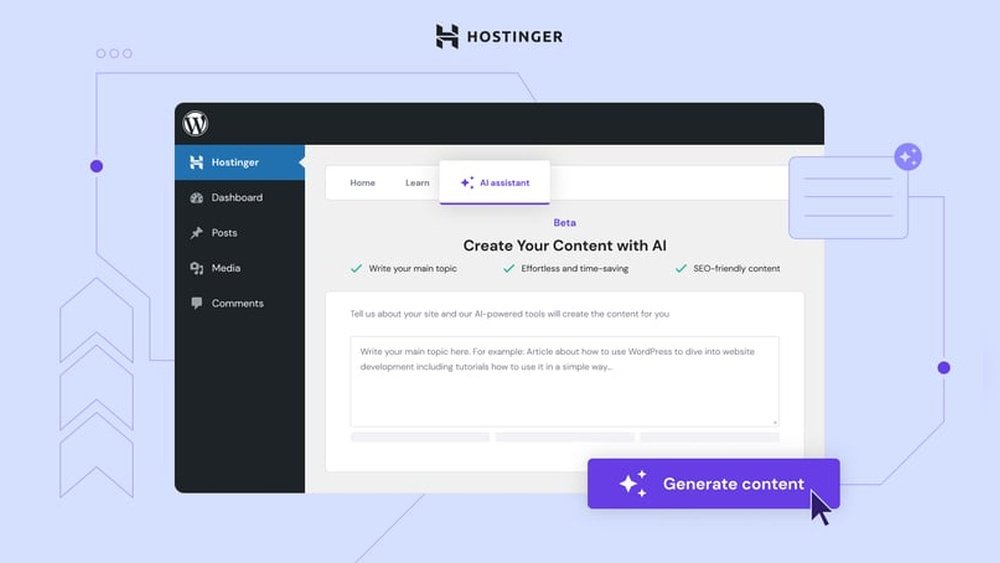
Hostinger recently launched its AI WordPress Assistant, promising to make website building faster and easier. Many beginners find WordPress confusing, especially when starting. This new tool claims to solve those problems by using AI to guide users and automate tasks. But does it really deliver? Here’s a clear review based on hands-on testing and real user feedback.
What Is Hostinger Ai WordPress Assistant?
The AI WordPress Assistant is a smart tool built into Hostinger’s hosting platform. It helps users create, design, and manage WordPress sites with less effort. The assistant uses artificial intelligence to generate content, suggest layouts, and optimize pages. It’s designed for people who have little experience with websites.
Key Features
Hostinger’s AI tool offers several important features:
- Content Generation: The assistant creates blog posts, product descriptions, and other text. Users only need to give a topic or keywords.
- Design Suggestions: It recommends themes, colors, and layouts based on your niche.
- SEO Optimization: The tool checks your website for basic SEO errors and offers fixes.
- Image Tools: AI can suggest images or help design simple graphics.
- Automated Updates: The assistant ensures plugins and themes stay updated.
Here’s a quick comparison of features:
| Feature | Hostinger AI Assistant | Manual WordPress |
|---|---|---|
| Content Creation | Automated | Manual |
| SEO Checks | Built-in | Requires plugin |
| Design Suggestions | AI-based | Manual |

Credit: www.youtube.com
Real-world Performance
Testing the assistant shows some clear strengths:
- Speed: Building a basic website takes less than 30 minutes.
- Accuracy: Content is relevant, but sometimes needs editing for style.
- Ease of Use: The interface is simple; most actions are guided.
However, advanced users may find the assistant limited. It works best for small business sites, personal blogs, and portfolios. For complex stores or custom projects, manual work is still needed.
Here’s a table showing average times for website setup:
| Task | Hostinger AI Assistant | Traditional Method |
|---|---|---|
| Initial Setup | 10 mins | 30 mins |
| Content Creation | 15 mins | 60 mins |
| Design Selection | 5 mins | 20 mins |
Pricing And Value
Hostinger includes the AI Assistant in most hosting plans at no extra cost. This is a big plus for beginners and small businesses. Competitors often charge extra for similar AI features.

Credit: www.hostinger.com
Non-obvious Insights
- The AI Assistant adapts to your writing style after a few posts, making content more personalized.
- It quietly fixes basic grammar and spelling mistakes in your website text.
- If you use multiple languages, the assistant can translate and localize content with decent accuracy.
Should You Use Hostinger Ai WordPress Assistant?
If you are new to WordPress or want to build a site quickly, this tool is highly effective. It saves time and reduces stress. But for advanced customization, manual work is still best. Hostinger’s AI Assistant stands out for simplicity and value, making it ideal for beginners.

Credit: wpmarmite.com
Frequently Asked Questions
Is The Hostinger Ai Assistant Free?
Yes, it comes included with most Hostinger hosting plans.
Does It Work For E-commerce Websites?
It can help set up simple stores, but complex shops need manual setup.
Can The Ai Assistant Generate Content In Other Languages?
Yes, it offers multi-language support and basic translation.
Is My Website Data Safe With The Ai Assistant?
Hostinger follows strong security practices, keeping your data private.
Where Can I Find More Information?
Visit the official Hostinger Tutorials for details and latest updates.




