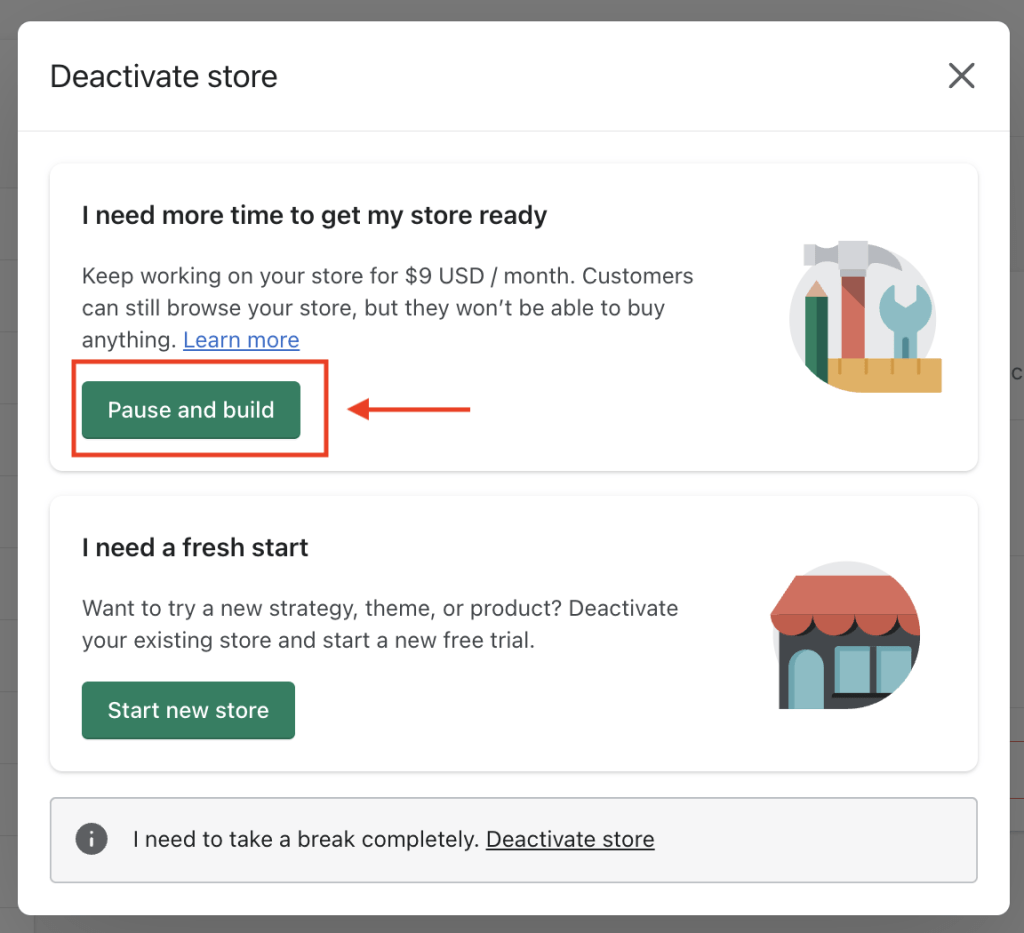
Pausing your Shopify store disables the checkout process but keeps your store online. You still pay a reduced subscription fee.
Running an online store can be demanding, and sometimes, taking a break becomes essential. Shopify offers a “Pause” plan that allows you to temporarily halt your store operations without shutting it down completely. This option is ideal for business owners who need time to revamp their store, manage personal commitments, or deal with inventory issues Essential Insights.
Your store remains visible to customers, but they can’t make purchases. This ensures you maintain your online presence while reducing operational costs. Understanding how this feature works can help you effectively manage your business during downtime, ensuring a seamless transition when you’re ready to resume full operations.

Credit: stewartgauld.com
Introduction To Pausing Your Shopify Store
Pausing your Shopify store can be a strategic decision. This feature allows store owners to temporarily halt operations. During this period, you can make important changes. You might also need a break or manage other priorities.
Reasons To Pause
There are several reasons why you might pause your Shopify store.
- Seasonal business: Pausing can help seasonal businesses save costs.
- Personal reasons: Health issues or vacations might require a pause.
- Rebranding: You might need time to redesign and rebrand your store.
- Inventory issues: Stock shortages can make pausing necessary.
Potential Benefits
Pausing your Shopify store offers several benefits.
- Cost savings: You save on subscription fees during the pause.
- Maintenance time: Use this time for backend improvements.
- Focus shift: Handle other business aspects without distractions.
| Benefit | Description |
|---|---|
| Cost Savings | Reduce operational costs by pausing the store. |
| Maintenance Time | Update and improve your store without customer interference. |
| Focus Shift | Allocate time and resources to other priorities. |
Impact On Customers
Pausing your Shopify store can affect your customers in various ways. It’s important to understand these impacts to manage your store effectively. Below are some key areas to consider.
Customer Notifications
When you pause your store, customers need to be informed. Shopify allows you to customize notifications. This ensures customers know your store’s status.
Here are some methods to notify customers:
- Send an email notification.
- Update your store’s homepage.
- Use social media announcements.
Clear communication helps maintain customer trust.
Order Fulfillment
Paused stores can’t process new orders. Yet, existing orders must be fulfilled. Ensure you have a plan for this.
Here is a simple table to help you with order management:
| Order Status | Action Required |
|---|---|
| Pending | Process as usual |
| Shipped | Notify the customer |
| Completed | No action needed |
Proper order management ensures customer satisfaction. Customers appreciate timely updates on their orders.
In summary, pausing your Shopify store impacts customer notifications and order fulfillment. Make sure to have a clear plan to manage these aspects effectively.
Effect On Sales And Revenue
Pausing your Shopify store can have significant effects on your sales and revenue. Understanding these impacts is crucial before making such a decision. Let’s explore what happens to your revenue and sales during a store pause.
Revenue Stagnation
When you pause your Shopify store, revenue stagnation is inevitable. No new purchases will be processed. This halt means no incoming cash flow. The longer the pause, the more prolonged the stagnation.
Consider this scenario:
| Duration of Pause | Potential Revenue Loss |
|---|---|
| 1 Week | $1,000 |
| 1 Month | $4,000 |
| 3 Months | $12,000 |
These figures are just examples. Your actual loss will depend on your average sales.
Sales Halting
Pausing your store also leads to sales halting. No products can be sold. Existing customers will not find active listings. Potential new customers will see an inactive store.
To illustrate:
- Current customers cannot place orders.
- New visitors will encounter a paused store message.
This interruption can affect customer trust. They may turn to competitors. Restarting the store does not guarantee instant sales recovery. It may take time to regain customer confidence.
In essence, pausing your Shopify store directly impacts both revenue and sales. The duration of the pause will determine the extent of the impact.
Credit: m.youtube.com
Managing Inventory
Pausing your Shopify store brings many questions about your inventory. Managing inventory during this time is crucial to ensure a smooth transition when you resume. Let’s dive into some key aspects.
Stock Levels
Maintaining proper stock levels is essential. You need to decide how to manage existing stock.
- Monitor your current inventory.
- Ensure perishable items are handled first.
- Update your inventory records regularly.
A table can help you keep track:
| Item | Quantity | Status |
|---|---|---|
| Item A | 50 | In Stock |
| Item B | 0 | Out of Stock |
Supply Chain Adjustments
Pausing your store impacts your supply chain. You need to make adjustments to keep things smooth.
- Notify suppliers about the pause.
- Adjust future orders based on current stock.
- Check agreements with suppliers for flexibility.
Consider these steps to manage your supply chain:
- Review existing contracts with suppliers.
- Communicate new timelines to all partners.
- Plan for potential delays when resuming.
Make sure to keep your supply chain efficient and ready for when you reopen your store.
Marketing And Seo Considerations
Pausing your Shopify store can impact your marketing efforts and SEO. Understanding these effects helps in making informed decisions. Let’s explore the Marketing and SEO Considerations when you pause your store.
Seo Impact
Your store’s SEO can suffer when it’s paused. Search engines notice when your site isn’t active. This can lead to a drop in rankings. Lower rankings mean less organic traffic.
Paused stores may also face broken links. This can harm your site’s authority. It’s important to manage these links carefully.
Redirects can help maintain some SEO value. Ensure all important pages have proper redirects. This can minimize the SEO damage.
Marketing Campaigns
Pausing your store can disrupt ongoing marketing campaigns. Active campaigns might direct traffic to a non-functional store. This can lead to wasted ad spend.
Email marketing can also be affected. Subscribers might receive promotions for unavailable products. This can frustrate customers and harm your brand image.
Consider stopping your paid ads during the pause. This prevents unnecessary costs and customer dissatisfaction.
| Marketing Element | Impact of Pausing Store |
|---|---|
| SEO | Drop in rankings, broken links, need for redirects |
| Paid Ads | Wasted ad spend, traffic to non-functional store |
| Email Marketing | Promotions for unavailable products, customer frustration |
Managing these factors is crucial. This ensures a smoother experience during your store’s pause.
Subscription And Billing Changes
Pausing your Shopify store can impact your subscription and billing. This section explains the important changes.
Billing Adjustments
Pausing your store means changes to your billing cycle. Shopify offers a special pause plan for this purpose.
When you pause, your billing cycle stops. You will no longer be billed the regular subscription fee. Instead, you will be billed a reduced fee.
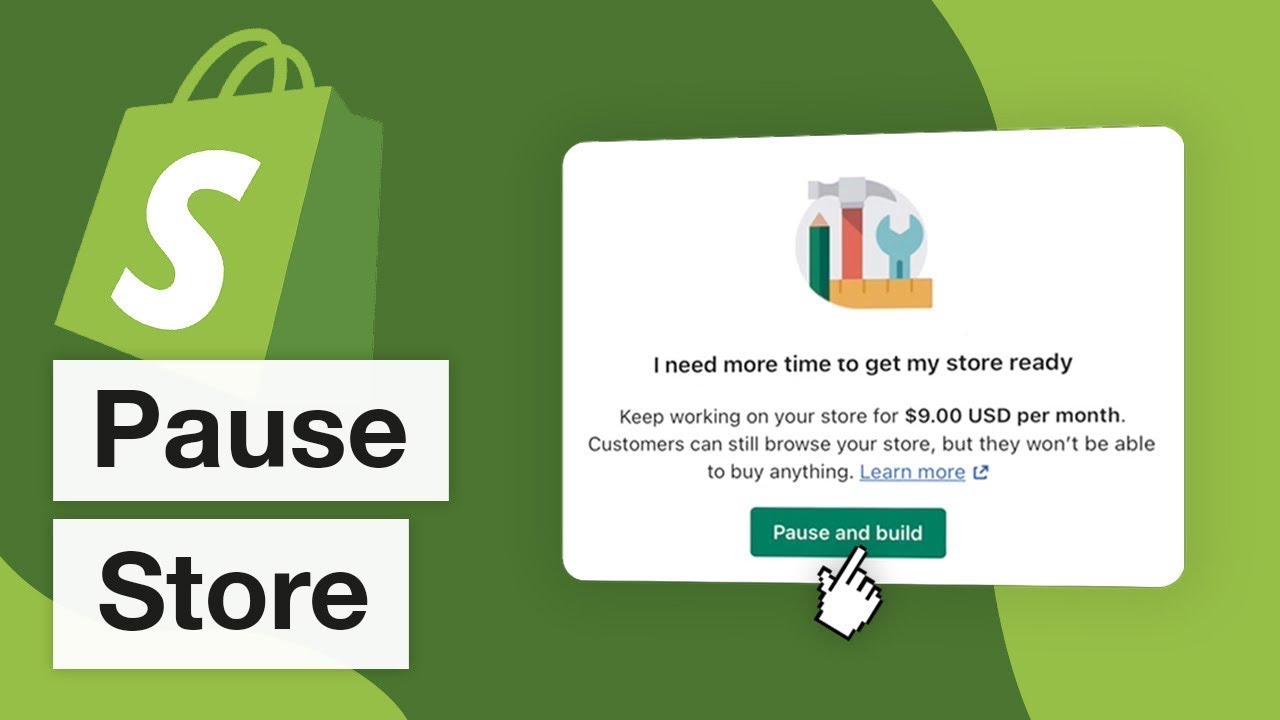
This reduced fee is $9 per month. It helps keep your store in a paused state. Make sure to update your payment details if needed.
Subscription Plans
Different subscription plans affect how pausing your store works. Shopify offers two main options:
- Pause and Build: This plan lets you access your store’s admin. You can make changes but cannot process orders.
- Full Pause: This plan pauses all store activities. You can’t access the store admin or process orders.
Choose the plan that best fits your needs. Review your current plan before pausing.
Important Notes
Remember to inform your customers about the pause. They need to know why your store is temporarily inactive. Provide clear communication to avoid confusion.
Keep track of your billing dates. This will help you avoid unexpected charges. Check your billing details regularly to stay informed.
Reactivating Your Store
Reactivating your Shopify store is a crucial step to get your business back on track. After a pause, you need to carefully follow the right steps. This ensures a smooth transition and minimal disruptions. Below, we’ll cover the steps to reactivate your store and potential challenges you may face.
Steps To Reactivate
- Log In: Access your Shopify admin dashboard.
- Choose the Right Plan: Select a suitable plan for your business.
- Check Inventory: Ensure your stock levels are updated.
- Update Payment Methods: Verify and update your payment details.
- Review Settings: Check your store settings for any necessary changes.
- Test Store: Make a test purchase to ensure everything works.
Potential Challenges
While reactivating your store, you might face several challenges. Being aware of these can help you prepare better.
- Inventory Issues: Ensure all products are available and stock levels are accurate.
- Payment Problems: Verify your payment gateways are functioning correctly.
- Data Loss: Check for any missing data or errors in your store information.
- Customer Notifications: Inform your customers about the reactivation and any changes.
- SEO Impact: Reassess your SEO settings to maintain your search engine rankings.
Addressing these challenges promptly can ensure a seamless reactivation process.
Here is a summary table to help you keep track:
| Step | Task | Details |
|---|---|---|
| 1 | Log In | Access your Shopify admin dashboard. |
| 2 | Choose the Right Plan | Select a suitable plan for your business. |
| 3 | Check Inventory | Ensure your stock levels are updated. |
| 4 | Update Payment Methods | Verify and update your payment details. |
| 5 | Review Settings | Check your store settings for any necessary changes. |
| 6 | Test Store | Make a test purchase to ensure everything works. |
Best Practices And Tips
Pausing your Shopify store is a significant decision. Implementing best practices ensures a smooth process. Follow these tips for effective results.
Effective Communication
Communicate with your customers clearly. Let them know about the pause.
- Send an email notification.
- Update your website with a banner.
- Use social media to inform followers.
Transparency builds trust. Explain the reasons and expected duration.
Create a FAQ section to answer common questions. This reduces customer confusion.
Smooth Transition
Ensure a smooth transition when pausing your store. Follow these steps:
- Fulfill all pending orders before pausing.
- Handle all customer service inquiries.
- Backup your store data.
Review your inventory. Remove or mark items that will be unavailable.
Set up auto-responses for customer messages. Inform them about the pause and expected response time.
| Task | Action |
|---|---|
| Pending Orders | Fulfill before pausing |
| Customer Inquiries | Address all before pausing |
| Inventory Review | Remove unavailable items |
These best practices and tips help in managing your Shopify store pause.

Credit: blog.adnabu.com
Frequently Asked Questions
What Does Pausing A Shopify Store Mean?
Pausing a Shopify store means temporarily suspending your store’s operations. You can save on subscription costs. Your customers won’t be able to make purchases, but your store remains accessible for you to manage.
Will My Store Data Be Safe When Paused?
Yes, your store data is safe when you pause your Shopify store. All your product listings, customer information, and settings will be preserved. You can resume your store anytime without data loss.
Can Customers Still View My Paused Store?
No, customers cannot view a paused Shopify store. The store’s front end becomes inaccessible to visitors. Only you can access the store’s admin area to make changes and updates.
How Long Can I Pause My Shopify Store?
You can pause your Shopify store indefinitely. Shopify does not impose a time limit. You can resume your store whenever you are ready to start selling again.
Conclusion
Pausing your Shopify store can offer a much-needed break. It allows for strategic planning and resource management. Be mindful of potential impacts on SEO and customer relationships. Carefully consider your timing and communication strategy. This pause could ultimately lead to a more successful and revitalized online business.