AWeber is a popular email marketing tool. It helps businesses connect with their audience.
AWeber works by allowing you to create and send email campaigns. You can design emails using templates or custom HTML. It also helps you manage your email lists and automate follow-up messages. With AWeber, you can track your email performance and see how many people open and click your emails.
This insight can help you improve your email marketing efforts. Whether you are a small business or a large company, AWeber offers features to suit your needs. It simplifies email marketing, making it easier to engage with your subscribers. Ready to learn more? Let’s dive into the details of how AWeber works and how it can benefit your business.
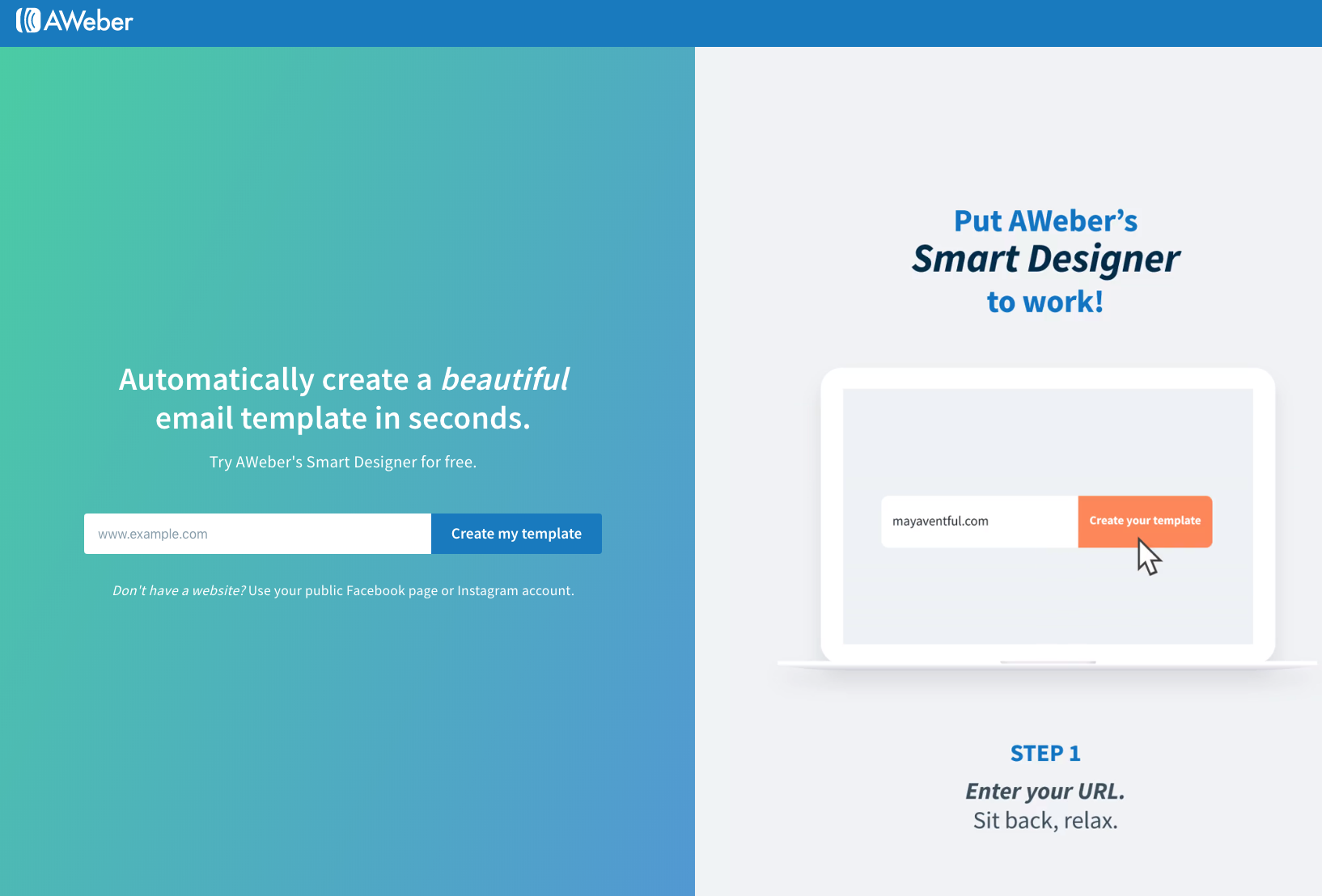
Credit: help.aweber.com
Introduction To Aweber
Email marketing is essential for modern businesses. It helps reach and engage customers. Aweber is a popular tool for this purpose. It offers various features to manage email campaigns. This section introduces Aweber and explains its importance.
What Is Aweber?
Aweber is an email marketing platform. It helps businesses create and send emails. Users can design newsletters and automated messages. The platform also tracks email performance. This helps improve future campaigns.
Importance Of Email Marketing
Email marketing is a key strategy for businesses. It builds relationships with customers. Sending regular emails keeps customers informed. It also drives traffic to websites. This can lead to more sales.
Using a tool like Aweber simplifies email marketing. It saves time and effort. The platform offers templates and automation. This makes the process easier and more efficient.
Setting Up Your Account
Setting up your Aweber account is the first step in starting your email marketing journey. Whether you’re a seasoned marketer or a newbie, this process is user-friendly and straightforward. Let’s dive into the details of getting your Aweber account up and running!
Creating An Aweber Account
Creating an Aweber account is simple. Follow these steps to get started:
- Visit the Aweber website: Head over to Aweber’s website and click on the “Get Started” button.
- Choose your plan: Aweber offers various plans to suit different needs. Pick the one that fits your requirements and budget.
- Fill in your details: You’ll need to provide some basic information like your name, email address, and payment details.
- Confirm your email: Check your email for a confirmation link from Aweber. Click on it to verify your account.
And voilà! You now have an Aweber account. Easy, right?
Navigating The Dashboard
Once your account is set up, you’ll land on the dashboard. This is your command center for all things email marketing. The dashboard might look a bit overwhelming at first, but don’t worry, it’s quite intuitive.
| Section | Description |
|---|---|
| Home | Your starting point. Here you can see an overview of your account, recent activity, and quick links to common tasks. |
| Messages | Create and manage your emails. This section includes drafts, scheduled emails, and sent messages. |
| Subscribers | Manage your email list. Add new subscribers, segment your list, and view subscriber details. |
| Reports | Track your email performance. View metrics like open rates, click-through rates, and subscriber growth. |
| Sign Up Forms | Create and manage forms to capture new subscribers. Customize the design and placement of your sign-up forms. |
Feeling a bit more confident? The key is to spend some time exploring each section. Remember, Rome wasn’t built in a day. Take it one step at a time and soon, you’ll be an Aweber pro!
Need more help? Aweber offers plenty of resources, including tutorials, webinars, and a helpful support team ready to assist you. Now go ahead and make the most out of your Aweber account!
Building Your Email List
Growing an email list is key for successful email marketing. Aweber makes this process smooth and efficient. Let’s explore how you can build your email list using Aweber’s tools.
Importing Contacts
Start with importing your existing contacts. This can save time and effort. Aweber allows you to upload contact lists from various sources. These sources include CSV files, Excel, and other email services. This ensures you do not lose any valuable contacts. Make sure your list is clean. This means no duplicates or invalid emails.
Using Signup Forms
Signup forms are crucial for list building. Aweber offers customizable signup forms. You can embed these forms on your website or blog. They can also be placed on social media pages. Customize the form to match your brand. Add fields that collect important data. This can include name, email, and interests.
Aweber’s signup forms are mobile-friendly. This ensures users can sign up from any device. You can also set up double opt-in. This adds an extra layer of security. It ensures only interested users join your list. Use Aweber’s analytics to track the performance of your forms. This helps you understand what works best.

Credit: www.awtomator.com
Crafting Effective Emails
When it comes to email marketing, crafting effective emails is a crucial skill. If you want to grab your audience’s attention and keep them engaged, you need to know how to create emails that resonate. Aweber is a fantastic tool that helps you do just that. Let’s dive into how you can use Aweber to craft emails that your audience will love.
Email Templates
One of the best things about Aweber is its wide range of email templates. These templates are designed to help you create beautiful emails without needing to be a design expert. You can choose from a variety of styles and layouts, making it easy to find one that fits your brand.
- Drag-and-Drop Editor: This feature allows you to customize the templates easily. You can add images, text, and buttons just by dragging them into place.
- Mobile-Responsive Designs: All templates are designed to look great on both desktop and mobile devices. This ensures that your emails are accessible to everyone, no matter what device they’re using.
- Pre-built Templates: Aweber offers a vast library of pre-built templates. Whether you need a newsletter, a product announcement, or a simple welcome email, you’ll find a template that suits your needs.
Personalization Techniques
Personalization can make a significant difference in how your audience interacts with your emails. Aweber makes it simple to add personal touches that can increase engagement.
- Using Subscriber’s Name: You can easily insert the subscriber’s name into your email. This makes the email feel more personal and less like a generic message.
- Segmenting Your List: Aweber allows you to segment your email list based on various criteria such as location, purchase history, or engagement level. This means you can send more targeted emails that are relevant to each group.
- Dynamic Content: With Aweber, you can create dynamic content that changes based on the recipient’s preferences or behaviors. For example, you can show different products to different users based on their browsing history.
By using these techniques, you can make your emails feel like they were written specifically for each subscriber, which can greatly improve your engagement rates.
Ready to start crafting effective emails with Aweber? With its powerful templates and personalization features, you’ll be able to create emails that not only look great but also connect with your audience on a deeper level. Give it a try and see the difference it can make in your email marketing strategy!
Automation And Campaigns
Automation and campaigns in AWeber streamline email marketing. They save time and boost engagement. With these tools, emails go out at the right time without manual effort. This helps businesses nurture leads and maintain customer relationships effortlessly.
Setting Up Autoresponders
Autoresponders send preset emails to subscribers. Start by creating a welcome message for new subscribers. This message sets the tone for your future communications. Next, plan a sequence of emails. These could include onboarding tips, product offers, or educational content.
In AWeber, setting up autoresponders is simple. Choose the ‘Create a Message’ option. Write your email content. Then, set the trigger for the email. This could be immediate, after a few days, or weeks. Finally, save and activate your sequence. Now, emails will go out automatically based on your settings.
Creating Campaigns
Campaigns in AWeber help you manage email marketing strategies. First, define the goal of your campaign. This could be promoting a product, sharing news, or nurturing leads. Next, segment your audience. This ensures your emails reach the right people.
To create a campaign, go to the ‘Campaigns’ tab. Click ‘Create a Campaign.’ Select a template or start from scratch. Add your emails to the campaign flow. Set the timing and conditions for each email. You can also personalize emails with dynamic content. This makes your messages more relevant to each subscriber.
Once your campaign is ready, review it carefully. Check for any errors or missing information. Then, activate your campaign. Monitor its performance and make adjustments as needed. With AWeber, creating and managing campaigns is straightforward and effective.
Analyzing Performance
Analyzing performance in email marketing is crucial. It helps you understand what works and what doesn’t. With Aweber, you get tools that make this process easy and effective. These tools help you improve your campaigns and achieve better results.
Tracking Metrics
Aweber offers detailed tracking metrics. You can see how many people open your emails. You can also track click-through rates. This data helps you understand your audience’s behavior. It shows you which emails are most effective. You can use these insights to refine your strategies. The goal is to increase engagement and conversions.
A/b Testing
Aweber also provides A/B testing features. This allows you to test different versions of your emails. You can compare subject lines, content, and design. With A/B testing, you can see which version performs better. This helps you optimize your emails for better results. It’s a powerful way to improve your email marketing strategy.
Integrations And Add-ons
Integrations and add-ons are essential features that can significantly enhance your experience with Aweber. By connecting Aweber to other tools and utilizing third-party add-ons, you can automate tasks, streamline your workflow, and expand your marketing capabilities. Let’s dive into how these integrations and add-ons work and how they can benefit you.
Connecting With Other Tools
One of the best things about Aweber is its ability to connect with a wide range of tools that you might already be using. This ensures that your marketing efforts are cohesive and efficient. Here’s how you can connect Aweber with other tools:
- Email Marketing Platforms: Sync Aweber with tools like Mailchimp or Constant Contact to import your contacts and manage your email lists seamlessly.
- CRM Systems: Integrate with popular CRMs like Salesforce or HubSpot to keep your customer data up-to-date and automate your sales processes.
- E-commerce Platforms: Connect with Shopify, WooCommerce, or BigCommerce to track customer purchases and send targeted email campaigns based on buying behavior.
- Social Media: Link Aweber to your social media accounts on Facebook, Twitter, and LinkedIn to share your newsletters and grow your audience.
By integrating with these tools, you can ensure that your email marketing strategy is aligned with your overall business goals.
Using Third-party Add-ons
Third-party add-ons can take your Aweber experience to the next level. These add-ons offer additional functionalities that are not available out of the box. Here’s a look at some popular add-ons and how they can enhance your Aweber account:
- Zapier: This powerful automation tool allows you to connect Aweber with over 1,500 other apps. Create custom workflows that save you time and effort. For example, you can automatically add new subscribers from a Google Sheet to your Aweber list.
- OptinMonster: Use this tool to create stunning opt-in forms and pop-ups that capture leads and grow your email list.
- LeadPages: Create high-converting landing pages that integrate seamlessly with Aweber. Capture leads directly from your landing pages and add them to your email campaigns.
- WordPress Plugins: If you have a WordPress site, there are numerous plugins available that can help you integrate Aweber forms and sign-up widgets into your site effortlessly.
These third-party add-ons can help you customize your Aweber experience to meet your specific needs and goals.
In conclusion, Aweber’s integrations and add-ons are invaluable for anyone looking to streamline their email marketing processes and enhance their overall strategy. Whether you’re connecting with other tools or leveraging third-party add-ons, these features can help you achieve better results with less effort. So, why not give them a try and see how they can benefit your business?
Credit: www.upwork.com
Tips For Success
So, you’ve decided to dive into the world of email marketing with Aweber. That’s fantastic! Aweber is a powerful tool, but like any tool, its effectiveness depends on how you use it. To help you on your journey, we’ve gathered some top tips for success. Whether you’re just starting out or looking to refine your strategy, these insights will set you on the right path.
Best Practices
Getting the most out of Aweber requires following some best practices. Here’s what you need to know:
- Build a Quality List: Focus on collecting email addresses from people who are genuinely interested in your content. Quality over quantity is the key.
- Segment Your Audience: Not all subscribers are the same. Use Aweber’s segmentation tools to send targeted messages that resonate with specific groups.
- Create Engaging Content: Your emails should offer value. Think about your audience’s needs and interests. Use clear language and compelling visuals.
- Test and Optimize: Use A/B testing to see what works best. Experiment with different subject lines, call-to-actions, and content formats.
- Monitor Analytics: Regularly check your email performance metrics. Understand what works and what doesn’t, and adjust your strategy accordingly.
Common Mistakes To Avoid
Even the best marketers can make mistakes. Here are some pitfalls to watch out for when using Aweber:
- Ignoring Mobile Users: Many people read emails on their phones. Make sure your emails are mobile-friendly.
- Sending Too Often: Bombarding your subscribers with too many emails can lead to unsubscribes. Find a balance that keeps your audience engaged but not overwhelmed.
- Neglecting the Subject Line: The subject line is the first thing your subscribers see. Make it catchy but relevant to avoid being marked as spam.
- Overlooking Compliance: Ensure you comply with email marketing laws like GDPR. Always get consent and provide easy unsubscribe options.
- Forgetting Personalization: Generic emails can feel impersonal. Use Aweber’s personalization features to make your emails more engaging.
By following these tips, you’ll be well on your way to mastering Aweber and making your email marketing efforts more effective. Remember, success doesn’t happen overnight, but with persistence and the right strategies, you’ll see great results.
Frequently Asked Questions
What Is Aweber And How Does It Work?
AWeber is an email marketing tool that helps businesses create and send newsletters. It automates email campaigns and manages subscribers.
How Much Is Aweber Per Month?
AWeber pricing starts at $19 per month for up to 500 subscribers. Higher plans are available for larger lists.
What Is The Purpose Of Aweber?
AWeber helps businesses create and manage email marketing campaigns. It offers tools for designing emails, automating sequences, and analyzing performance.
What Can I Do With Aweber?
With AWeber, you can create and send email newsletters, build subscriber lists, and automate email campaigns. You can also track performance metrics and integrate with various platforms for seamless marketing.
Conclusion
AWeber makes email marketing simple and effective. Setting up campaigns is easy. Managing subscribers takes just a few clicks. Automation saves time and effort. Analyzing results helps improve your strategy. With AWeber, your email marketing becomes more manageable. Connect with your audience effortlessly.
Boost your business with consistent communication.